 Pingtail
Accruals and schedules
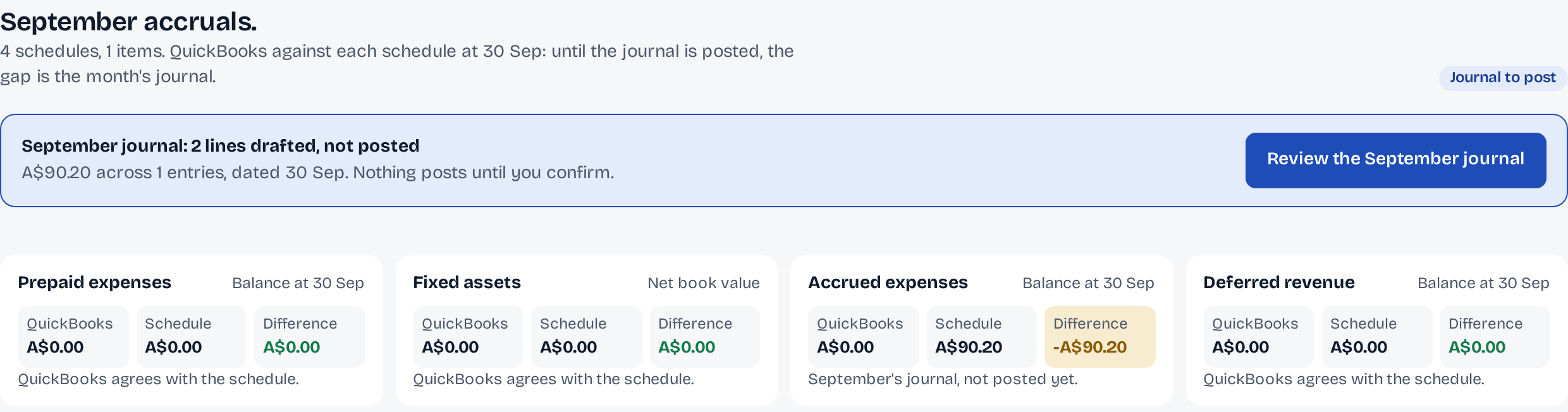
The accrual and its reversal, drafted. Posted only when you press.
Pingtail lists costs paid just after the month end, drafts the journal with its reversal on the 1st, and keeps your schedules beside the books.
September's phone bill is paid on 1 October, and the accrual and its reversal are two more journals to type by hand.
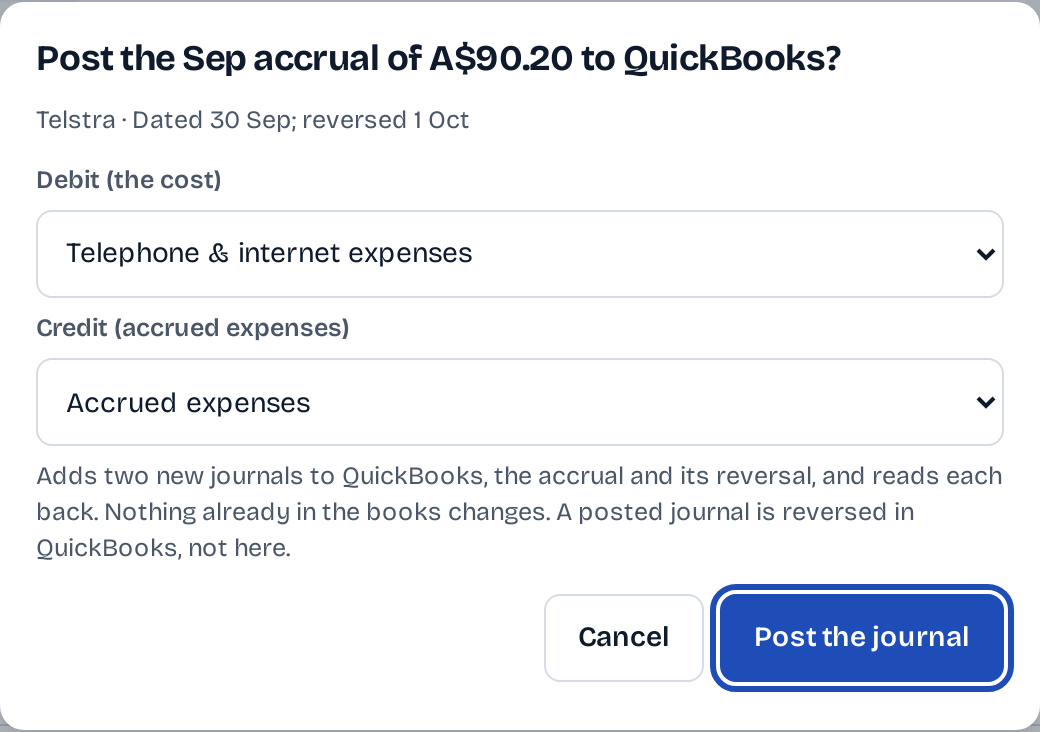
Pingtail drafts both; you choose the accounts and press Post the journal.
- Finds money out in the first days of the next month
- Drafts the accrual dated the month end, reversed on the 1st
- Compares QuickBooks with each of your schedules
14 days free. One client. No credit card required.
How it works
From a bill in October to September's books.
It sits in Month-end, under Accruals, for every client on QuickBooks.
-
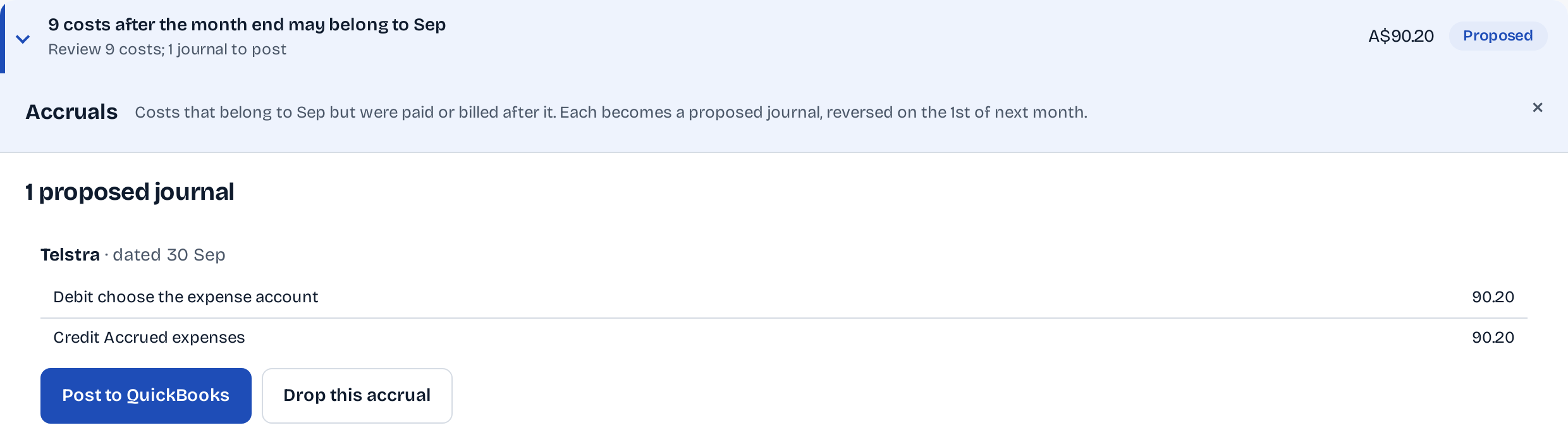
Step 1: See what may belong to the month.
Money out in the first 7 days of the next month is listed. Accrue to Sep turns a line into a proposed journal.
-
Step 2: Keep the schedule beside the books.
Each item says what it belongs to, when it posts and when it reverses, and QuickBooks is compared with the schedule.

-
Step 3: Choose the accounts, then post.
The cost account and the accrued-expenses account are yours to pick. Two new journals go to QuickBooks, each read back.
What stays in your control
Only new journals, only on your press.
An accrual adds two new journals to the client's books. Nothing already there is edited or deleted.
Two journals, read back.
The accrual dated the month end and its reversal on the 1st, each read back from QuickBooks after posting.
On the screen
Adds two new journals to QuickBooks, the accrual and its reversal, and reads each back.
Your accounts, first.
The debit and the credit are on the confirmation, and you can change either before you post.
On the screen
Debit (the cost): Telephone & internet expenses. Credit (accrued expenses): Accrued expenses
Reversed where it lives.
A posted journal stays in QuickBooks. If it was wrong, you reverse it there; Pingtail never deletes it.
On the screen
A posted journal is reversed in QuickBooks, not here.
Who it is for
For firms that close on an accrual basis.
Firms that accrue every month.
The month's late bills found for you, with the reversal dated for you.
Firms that keep schedules.
Prepaid expenses, fixed assets, accrued expenses and deferred revenue, each compared with QuickBooks at the month end.
Clients on QuickBooks Online.
The accrual journals post to the client's QuickBooks company on your press.
Not what it does
- Post the schedules' monthly journals. Pingtail drafts and holds them for your check; it does not post them yet.
- Undo a posted accrual from Pingtail. You reverse it in QuickBooks.
Before you start
Questions about accruals.
What exactly is posted?
Two new journals: the accrual dated the last day of the month and its reversal on the 1st. Each is read back from QuickBooks after posting. Nothing already in the books changes.
Which costs does Pingtail list?
Money going out in the first 7 days of the next month, not a transfer. You choose which to accrue and the amount that belongs to the month.
Do the schedules post too?
Not yet. Pingtail keeps the schedules, compares them with QuickBooks and drafts their journal, and holds it for your check.
What if the client has no accrued-expenses account?
The confirmation says so and does not post. Add one in QuickBooks, and it shows after the next read.
What does it cost?
Accruals and schedules are included in the price of each client.
More of Pingtail
The rest of the close.
Accrue one client's September this week.
Start with one real client, free for 14 days. No card.