 Pingtail
Review tools
Review the month before you sign. Every figure read from the books.
Search every line, save your own checks, and put the P&L and balance sheet beside last month before sign-off.
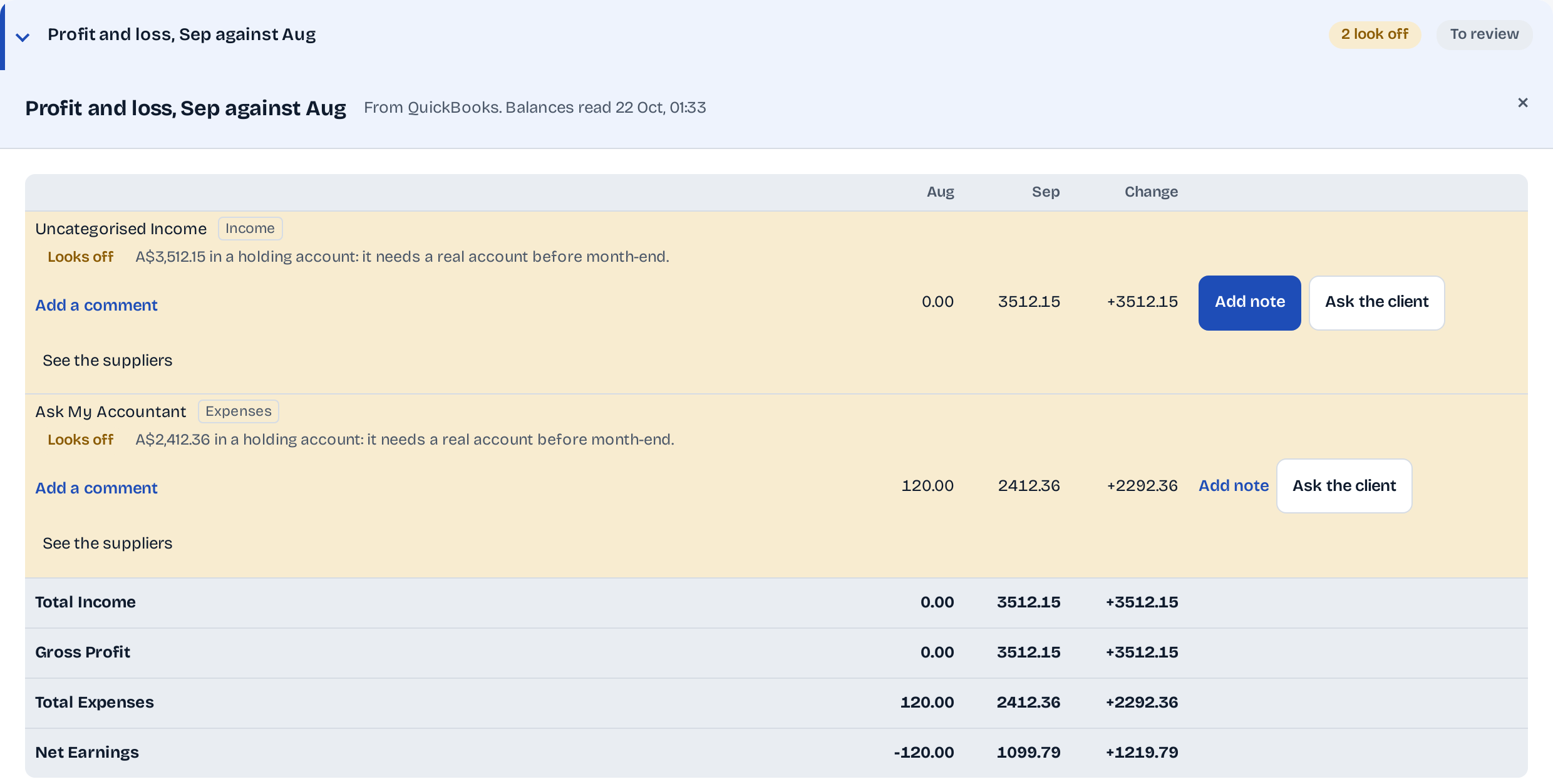
The P&L looked fine until the client asked why A$3,512 sits in Uncategorised Income.
The final review puts each line beside last month and marks what looks off, before you sign.
- Compares the P&L and balance sheet with last month
- Saves your own checks for the whole firm
- Searches every line by payee, text or amount, and downloads them
14 days free. One client. No credit card required.
How it works
From one line to the whole month.
Every tool filters what Pingtail already read. None of them changes the books.
-
Step 1: Save your own check.
Name it once, with up to four conditions, and every client's lines are filtered by it.

-
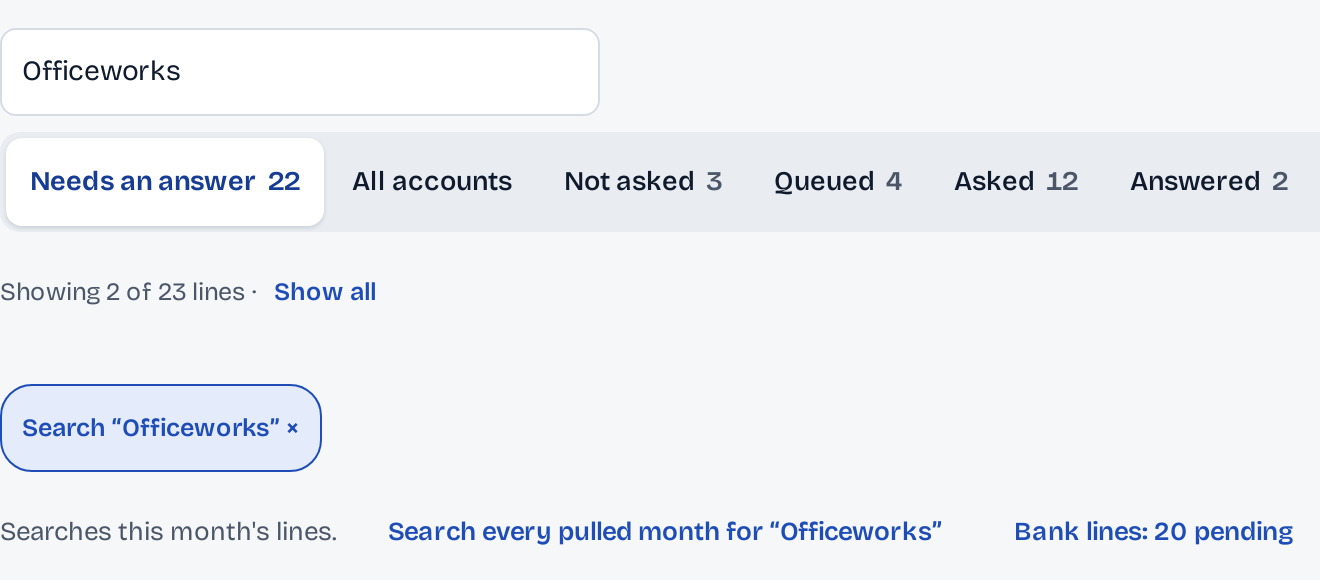
Step 2: Find any line.
Search by payee, description or amount, in this month or every month already read.
-
Step 3: Sign off what is done.
The sign-off lists every account and report still open, so nothing is signed with work left.

What stays in your control
Looking never changes the books.
Every figure says when it was read. Your checks and searches only filter what is there.
Figures from the books.
Balances and the P&L come from the client's QuickBooks, with the time they were read. No figure is typed or guessed.
On the screen
From QuickBooks. Balances read 22 Oct, 01:33
Checks that only filter.
Your own checks pick lines out of what was read. They ask nothing of the books.
On the screen
The check is for the whole firm and only filters the lines already read.
The sign-off stays in Pingtail.
Reviews and sign-offs are recorded in Pingtail and never written to the client's books.
On the screen
Reconciles, matches and sign-offs here are recorded in Pingtail, never written to QuickBooks.
Who it is for
For the reviewer who signs the month.
Reviewers checking a preparer's work.
The preparer's note sits on top, and Send back to the preparer is one press.
Firms with their own rules of thumb.
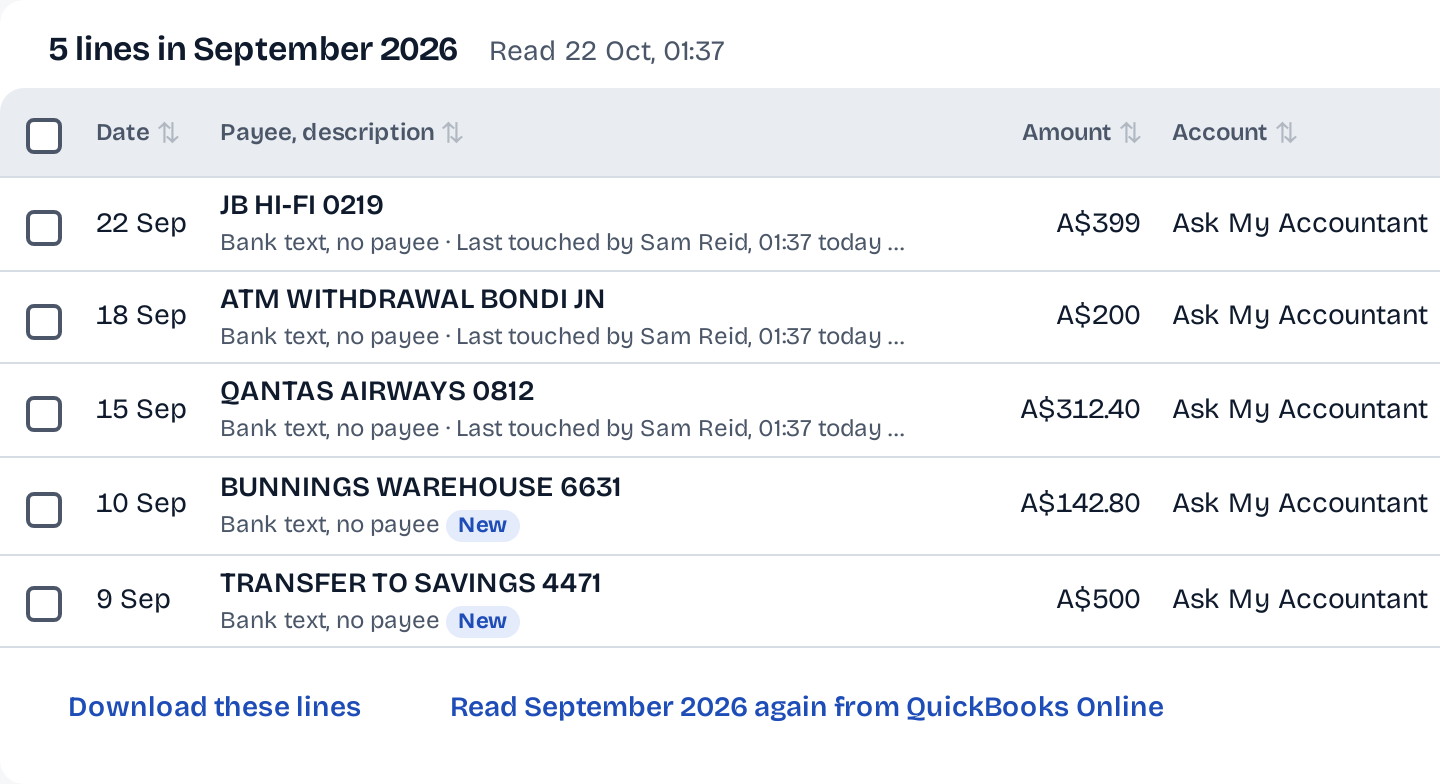
"Over A$100 in Ask My Accountant" or a supplier you always look at, saved once for every client.
Firms that send a monthly report.
What moved since last month is marked before the report goes to the client.
Not what it does
- Fix the books from the review. A line that looks off goes to Lines, to a note or to the client.
- Audit your GST or VAT. The check only flags a code a bank rule left unlike the payee's usual one, and you decide.
Before you start
Questions about review.
Where do the figures come from?
From the client's QuickBooks, read with a time stamp you can see. Nothing is typed in or worked out by guess.
When does a line look off?
When it changed by at least 500.00 and by at least a quarter since last month, or when money sits in a holding account. The rule is printed under the report.
How many checks can we save?
Up to 20 for the firm, each with up to four conditions: amount, payee, any text, account, state or one of Pingtail's checks.
Can a reviewer send the month back?
Yes. Send back to the preparer returns it with your note.
What does it cost?
Review tools are included in the price of each client.
More of Pingtail
The rest of the month.
Review one client's September this week.
Start with one real client, free for 14 days. No card.