 Pingtail
Receipts and documents
The right file, the first time. Nothing in the books until you say.
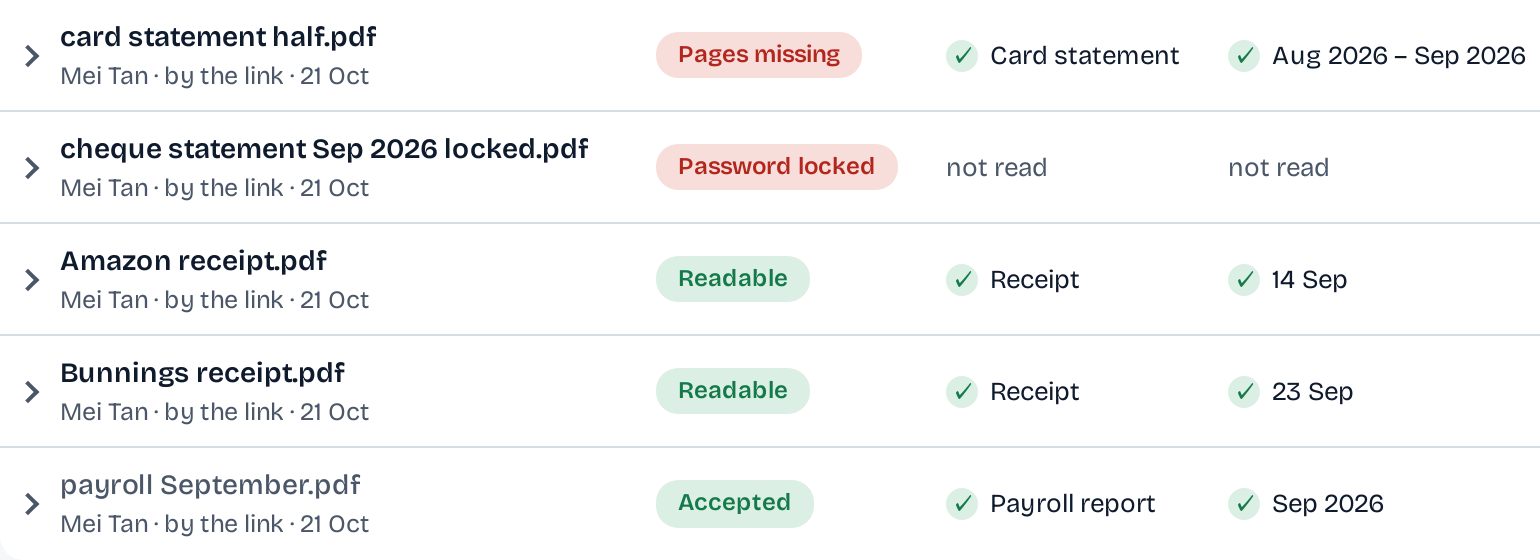
Every file your client sends is looked at the moment it lands: what it is, the dates it covers, and whether it can be read.
The statement came for August, page two is missing, and the PDF has a password on it.
Pingtail says so on your client's page while they are still there, and on your list beside the file.
- Reads the type and the dates of every file
- Flags missing pages, a locked PDF, the wrong month
- Finds the bank line a receipt most likely belongs to
14 days free. One client. No credit card required.
How it works
From the client's phone to the right line.
Your client fixes what they can while they are on the page. The rest comes to you with a next step.
-
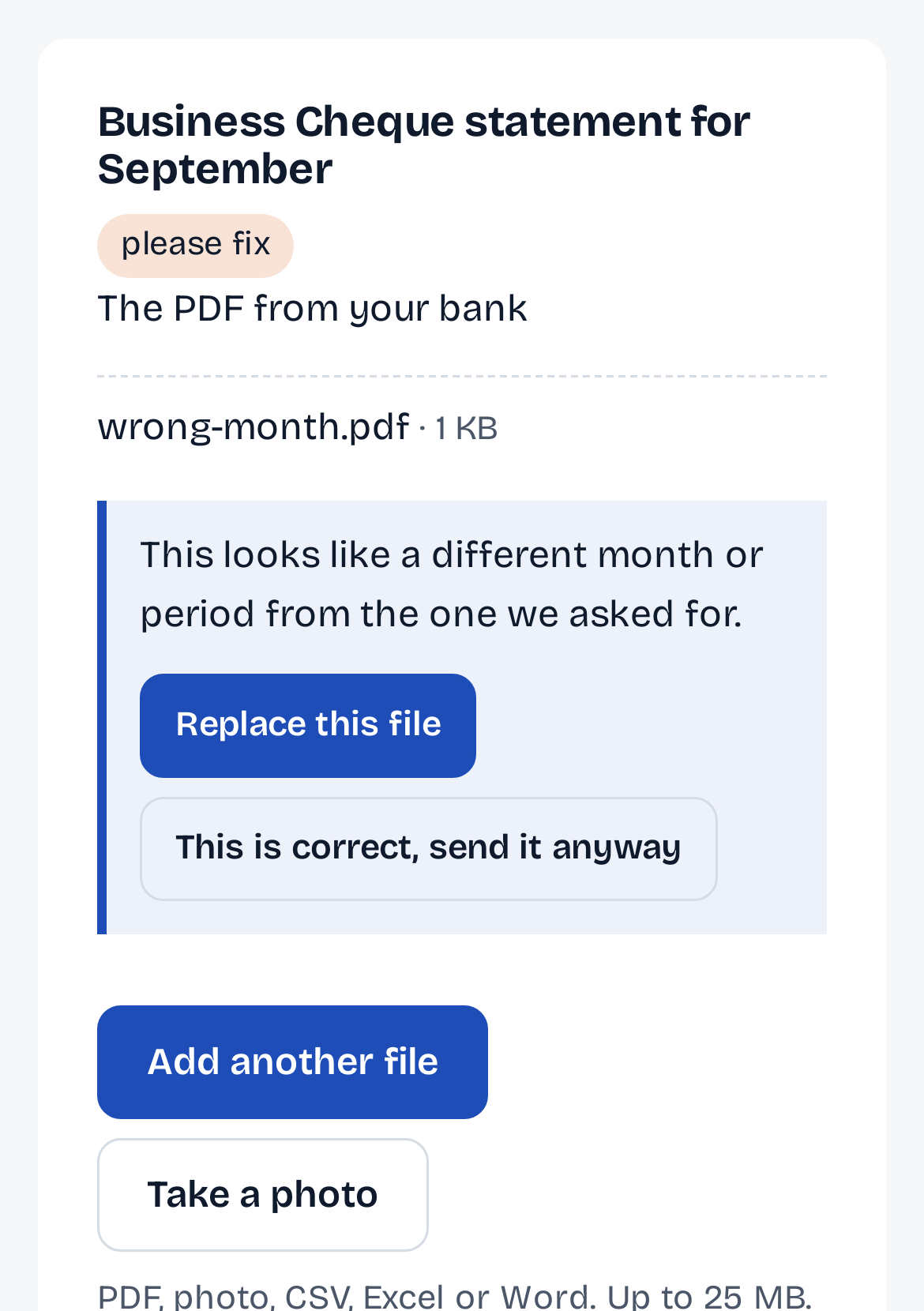
Step 1: Caught on the client's page.
A statement for the wrong month is flagged as it lands, and the client replaces it there. Nothing is rejected: you decide.
-
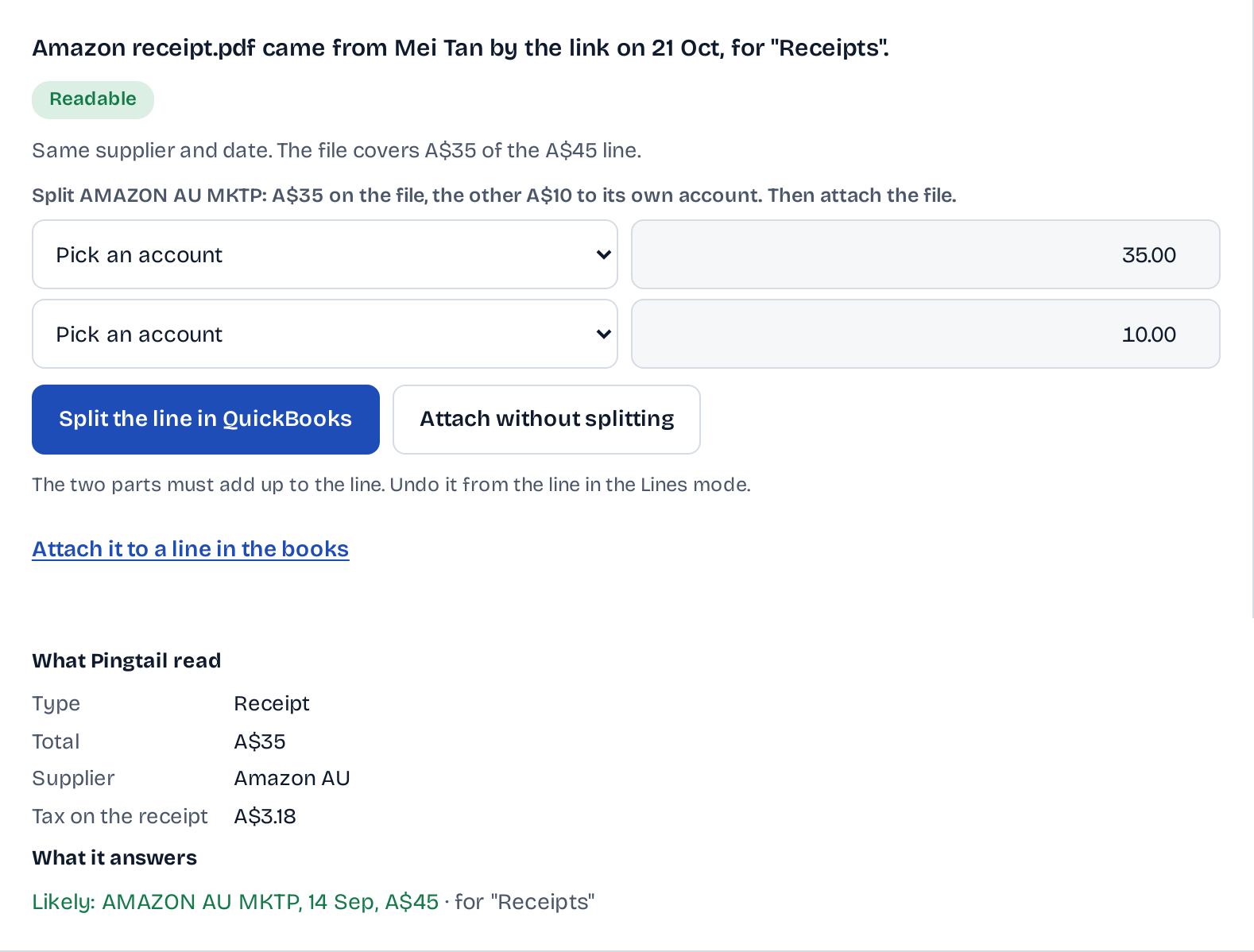
Step 2: A receipt meets its line.
Pingtail reads the total, the supplier and the tax, and names the line it most likely belongs to. Attach it, or split the line first.
-
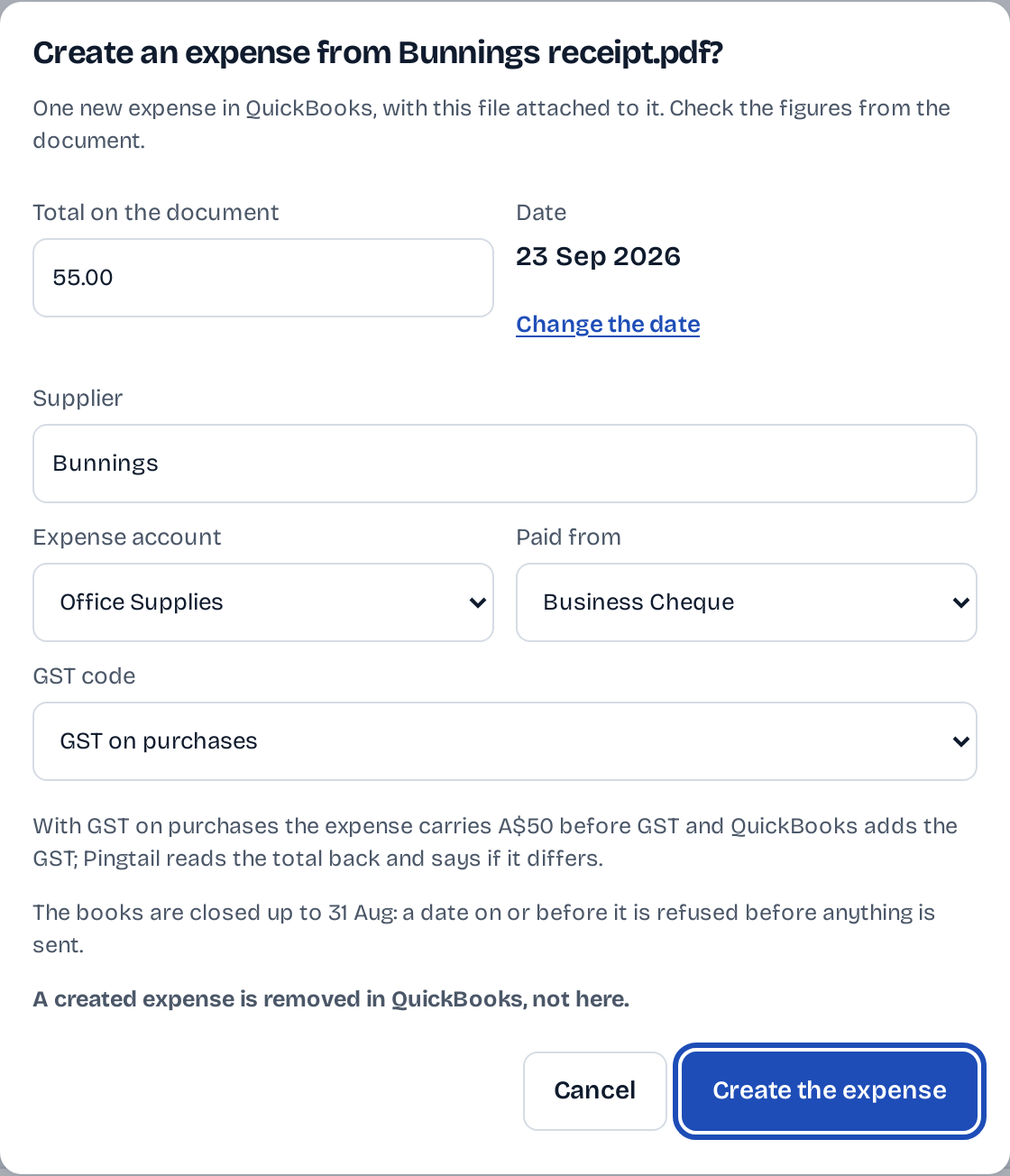
Step 3: A receipt with no line.
When nothing in the books matches, you can create the expense from the file. The account and the GST code come first, and you press. In QuickBooks the supplier's name goes on the expense's description and memo; you set the payee there.
What stays in your control
A file never posts on its own.
Pingtail reads and suggests. Accepting, attaching and creating are your presses.
Flagged, never rejected.
Your client can still send a file the check doubts. You see why, and you decide.
On the screen
This is correct, send it anyway
Your press, with the codes first.
An expense from a receipt shows the account, the GST code and the amount before GST, and waits for your press.
On the screen
GST code: GST on purchases. Create the expense
Attach and create only add.
Attaching a file or creating an expense adds to the client's books. A split changes only the line it splits, and has an Undo on that line.
On the screen
Attach and Create expense add to the client's books; nothing in the books is changed or removed from here.
Every check
Three questions for every file.
Every file is checked as it arrives, not a week later in your inbox.
Can it be read?
A blurred, dark or cut-off photo, a picture too small to read, a locked PDF. The client sees what to fix on the same page.
Is it what you asked for?
The right document, the month you asked for, no pages missing, and not a file already sent.
Your firm decides.
The check never turns a file away. When it is unsure, the file comes to you with the reason, and only your firm can send one back.
Five files, and what the client was told.
| Asked for | File sent | On the client's page |
|---|---|---|
| Supplier bills August 2026, every bill | bills-july-2026.pdf | Wrong month. Replace this file |
| Business bank statement August 2026, every page | statement-aug-2026.pdf | Pages missing. Send every page |
| Expense receipts August 2026, photo or PDF | IMG_2041.jpg | Too blurred to read. Take the photo again |
| Payroll summary August 2026, every employee | payroll-aug-2026.pdf | Locked with a password. Send it unlocked |
| Sales invoices August 2026 | invoices-aug-2026.pdf | Accepted |
Caught on arrival
- Bills or statements for the wrong month, a tax form for the wrong year
- A bank or card statement with pages missing
- A payroll report locked with a password
- A receipt photo too small or blurred to read
- A loan statement covering the quarter: accepted, every month shown
Who it is for
For the firm that opens every file twice.
Firms whose clients photograph statements.
A photo, a locked PDF or half a statement is named on the client's page, not found a week later.
Firms that attach receipts to the books.
The likely line is named for each receipt, so attaching is one look and one press.
Firms that keep files in Drive or Dropbox.
Accepted files go to the client's folder in Google Drive or Dropbox, or to the client's customer record in QuickBooks.
Not what it does
- Collect receipts from an email inbox or WhatsApp photos. That is not in Pingtail yet.
- Throw a file away for your client. People decide.
Before you start
Questions about files.
What does Pingtail look at in a file?
What it is, the dates it covers and whether it can be read: a statement for the wrong month, missing pages or a password are named on the spot.
Where do accepted files go?
To the client's folder in Google Drive or Dropbox, or attached to the client's customer record in QuickBooks, where a file sent twice is not added twice.
Can Pingtail create the expense for me?
Only when you press Create the expense, after you have checked the account, the GST code and the amount. The file is attached to the new expense.
What if my client sends the wrong file anyway?
It comes to you with the reason beside it. Press Ask for a new file, or accept it.
What does it cost?
Receipts and documents are included in the price of each client.
Get one client's September files right this week.
Start with one real client, free for 14 days. No card.