 Pingtail
Client page
One link from your firm. No app, no login.
Your client sends documents and explains bank lines from any phone.
You sent the list three times, and the statement still came for the wrong month.
Each file is checked as it lands, and the client fixes it on the page.
- Asks for documents and explains bank lines as plain questions
- Checks each file the moment it lands
- Reminds the client on a set schedule, in their daytime
14 days free. One client. No credit card required.
How it works
What your client sees.
Four moments, each on the client's own phone. Nothing to install and no password to forget.
-
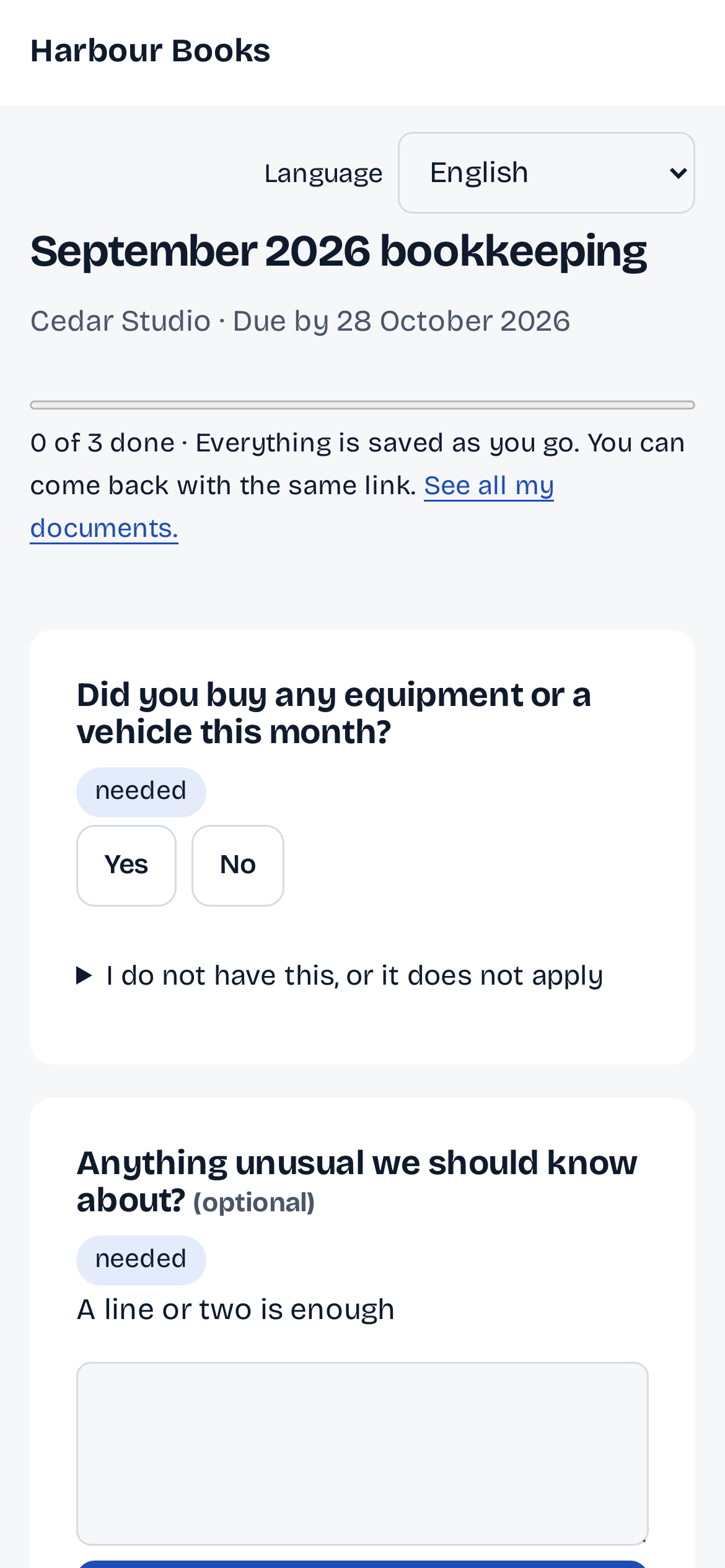
Step 1: The documents you asked for.
An email in your firm's name, or a WhatsApp from your firm's own number where available. One link opens the list, saved as they go.
-
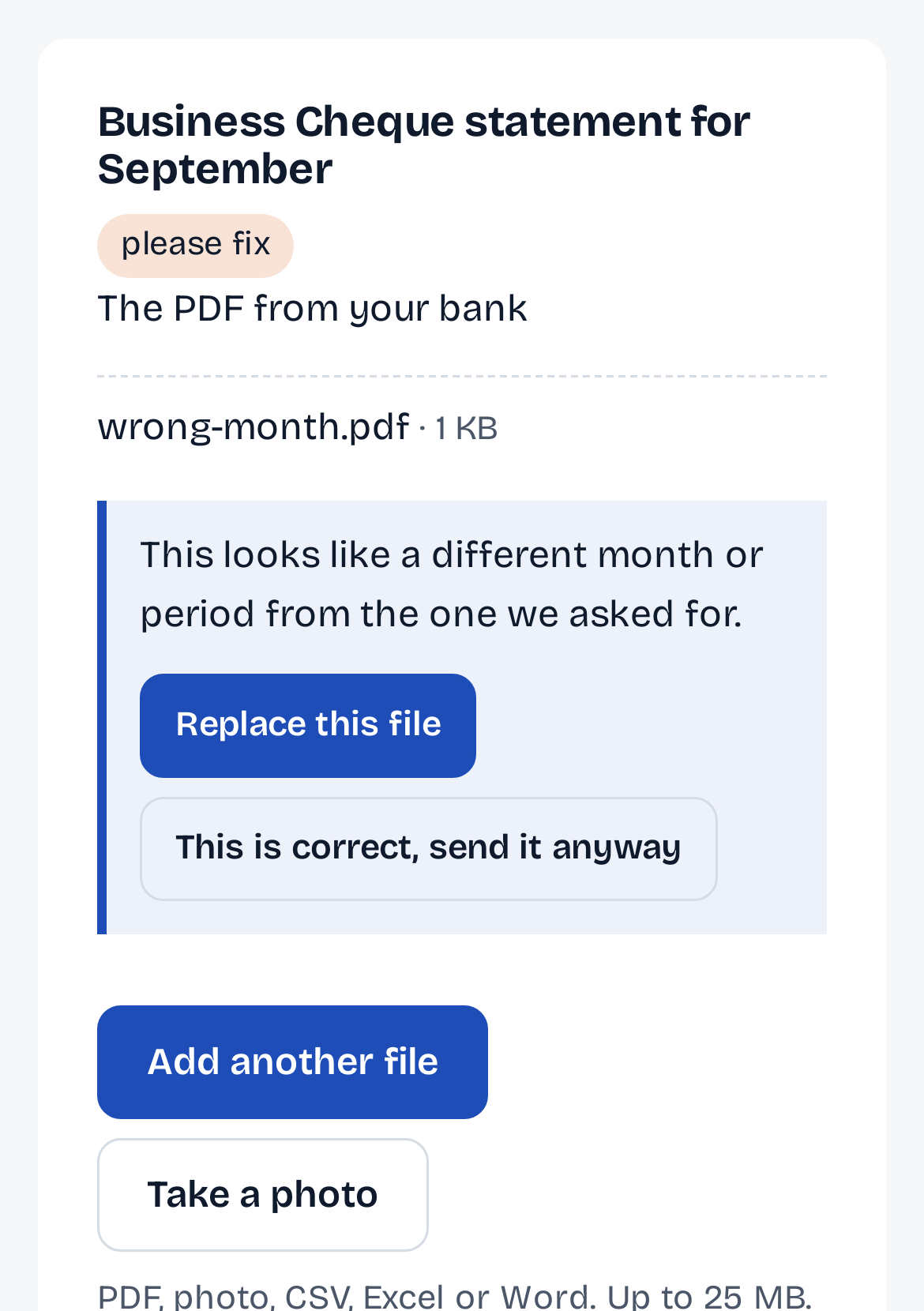
Step 2: Checked as it lands.
A statement for the wrong month is caught on the page, and the client fixes it there. Nothing is rejected: they can still send it, and you decide.
-
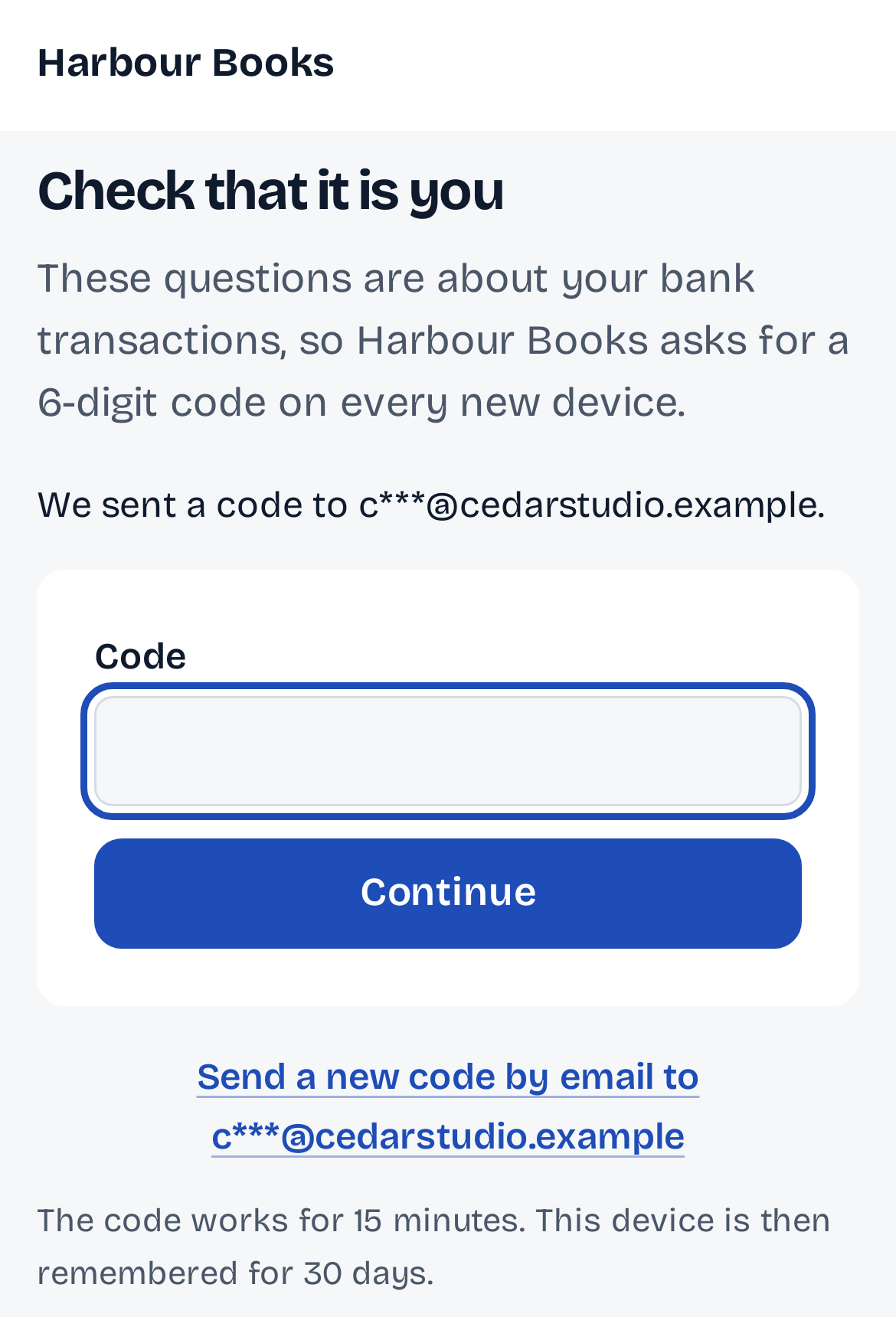
Step 3: Bank-line questions, after a code.
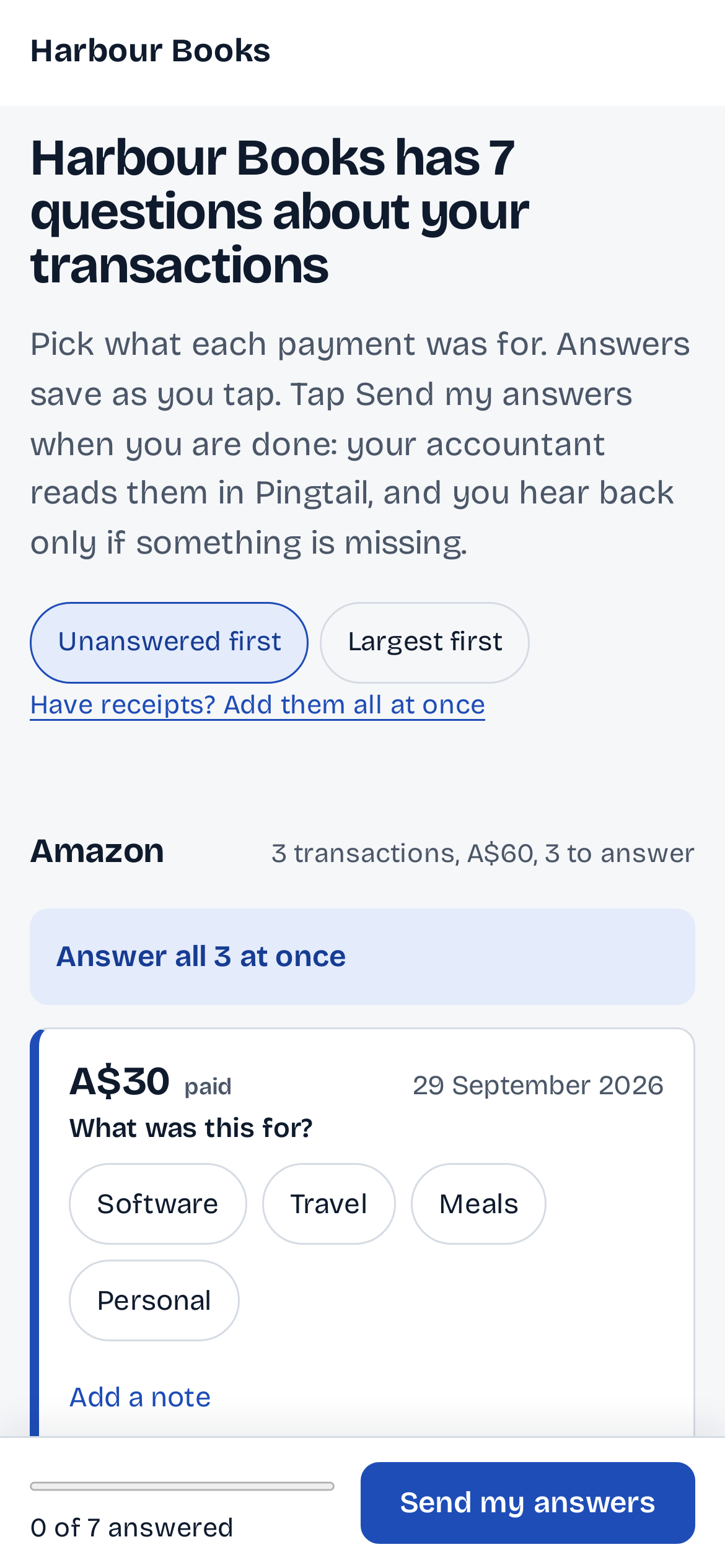
The questions are about the client's bank, so every new phone is asked for a one-time code first. Then a tap says what each payment was for.
-
Step 4: Sent, and still open to change.
Send my answers tells the client what happens next. They can change an answer until your firm has used it.
Start to finish
Your clients answer from their phone.
One link from your firm. No app, no login, nothing to learn.
The request arrives.
An email in your firm's name, or a WhatsApp from your firm's own number where available, with one link. A forwarded link shows nothing: a new phone gets a one-time code first.
One page, everything asked.
The documents you need and the bank lines you want explained, each as a plain question: "What was this A$84.20 at Bunnings on 12 September?" The client taps an answer, adds a receipt, or says "not sure".
Checked as they upload.
Wrong month, missing pages, a locked PDF, a photo too dark to read: the client sees it on the page and fixes it there. Nothing is rejected. Hard cases come to you.
Done, and filed.
Files land in Google Drive or Dropbox, by client and month. The client sees what is still open and closes the page. Reminders stop the moment it is done.
No app, no login
WhatsApp from your own number
Checked on arrival
Filed to Drive or Dropbox
What stays in your control
Your client answers. Your firm decides.
The page collects. Nothing on it changes the client's books.
An answer is not a posting.
The client's answer lands on the line in Pingtail. Your firm approves it before anything reaches the books.
On the screen
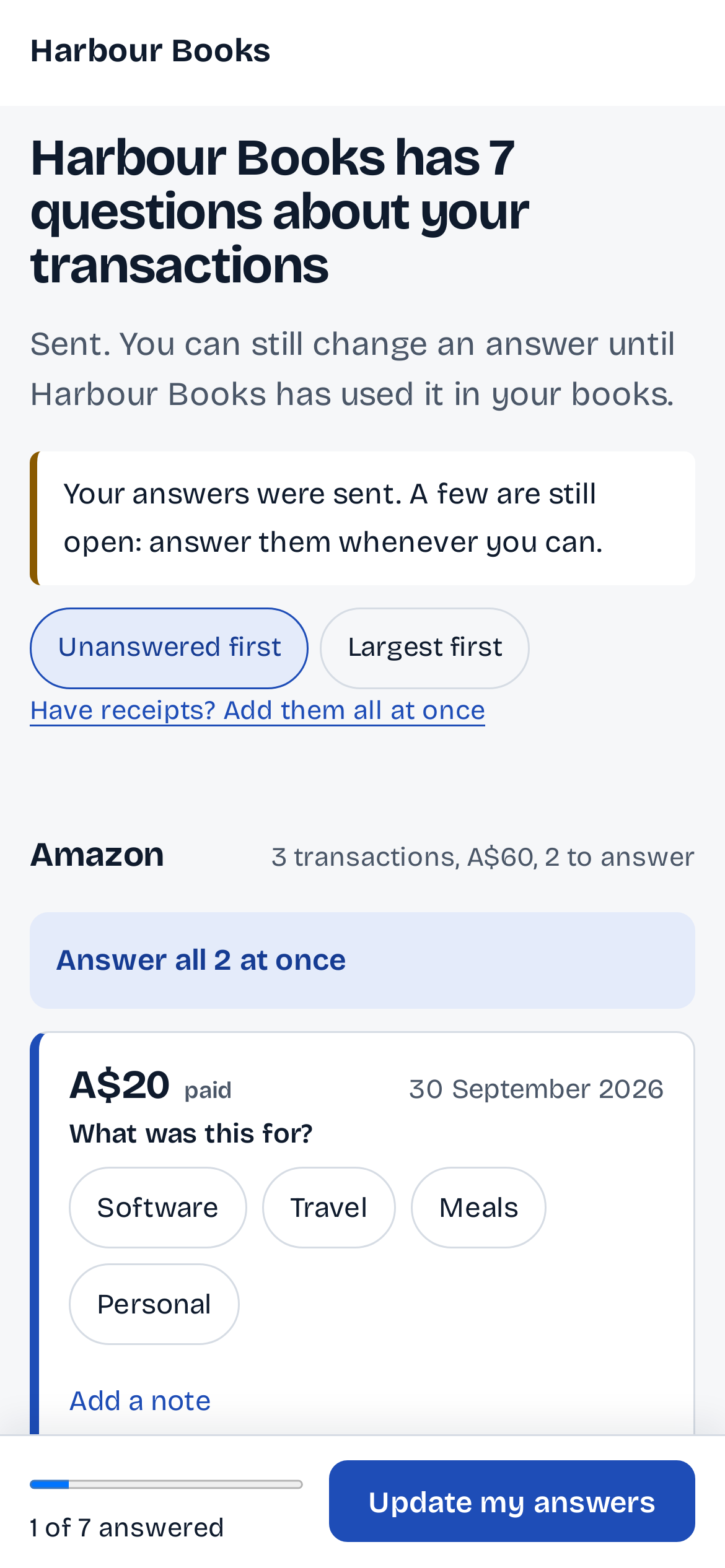
You can still change an answer until the firm has used it in your books.
A second phone needs a code.
The first phone to open a document link goes straight in; any other phone is asked for a one-time code. Bank-line questions ask on every new phone.
On the screen
The firm asks for a 6-digit code on every new device.
Your firm's name, every time.
The page and every message carry your firm's name, so the client knows who is asking.
On the screen
The firm has 7 questions about your transactions
Who it is for
For clients who answer between jobs.
Clients who live on their phone.
A tradie in a van or a cafe owner at close. One link, a few taps, done.
Firms that already use WhatsApp.
From your firm's own WhatsApp number where available, so the link arrives like your other messages.
Firms tired of the wrong file.
Wrong month, missing pages, a locked PDF: the client sees it while they can still fix it. A question for you goes from the same page, as a message.
Not what it is
- An app. There is nothing to install and no password.
- A portal on your own web address. The link is on pingtail.com.
Before you start
Questions about the client page.
Do my clients need an account or an app?
No. They open the link and answer. A document link asks any phone after the first for a one-time code; bank-line questions ask every new phone.
What happens to a wrong file?
The page tells the client what looks wrong and offers Replace this file. Nothing is rejected: they can send it anyway, and you decide.
When do the reminders go?
On a set schedule after you send the request, never in the client's night.
Where do the files end up?
Filed by client and month in Pingtail, and in your Google Drive or Dropbox when you connect one.
Send one client their link this week.
Start with one real client, free for 14 days. No card.