 Pingtail
Requests and reminders
Ask once. Pingtail follows up on a set schedule.
Pick a checklist, send one link, and each reminder lists only what is still missing.
It is the 18th, three clients still owe September's statements, and you are typing the fifth "just checking in" email.
Pingtail sends the follow-ups on your schedule, so your time goes to the one call that needs a person.
- Asks with a ready-made checklist for the month, the BAS or the year end
- Reminds on a set schedule, in the client's daytime
- Shows who you are waiting on and when the next reminder goes
14 days free. One client. No credit card required.
How it works
From the checklist to the last statement.
You choose what to ask and when to remind. Pingtail does the sending and keeps count.
-
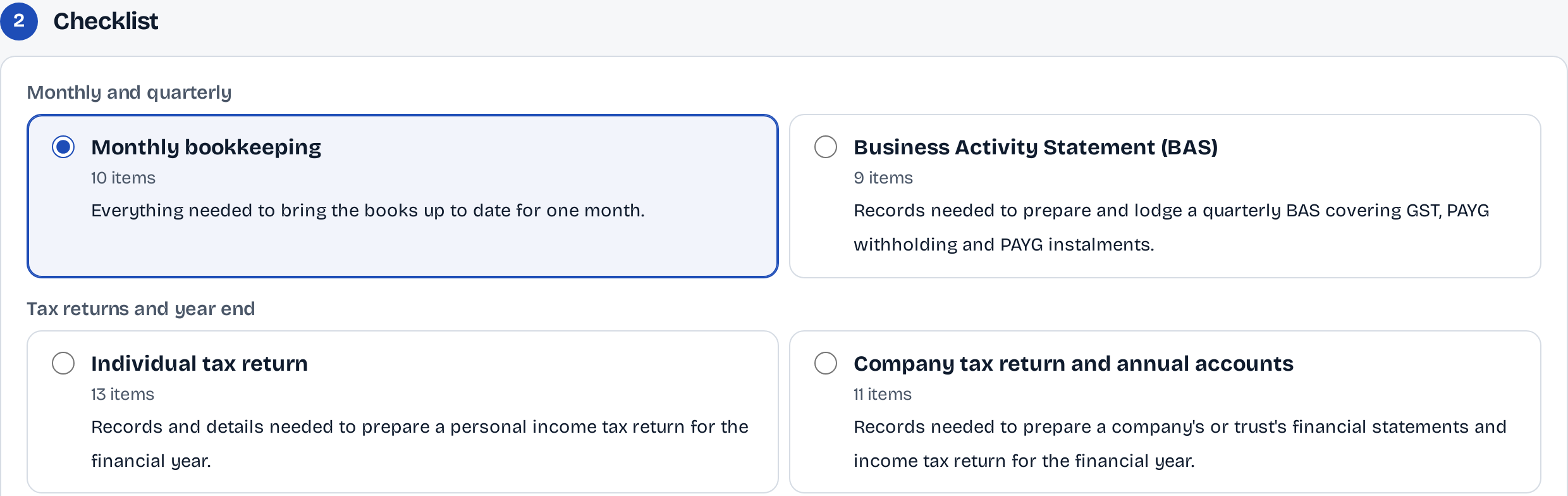
Step 1: Pick the checklist.
Monthly bookkeeping, the BAS, tax returns and year end come built in. Nothing is sent yet: you see who gets it, and how, first.
-
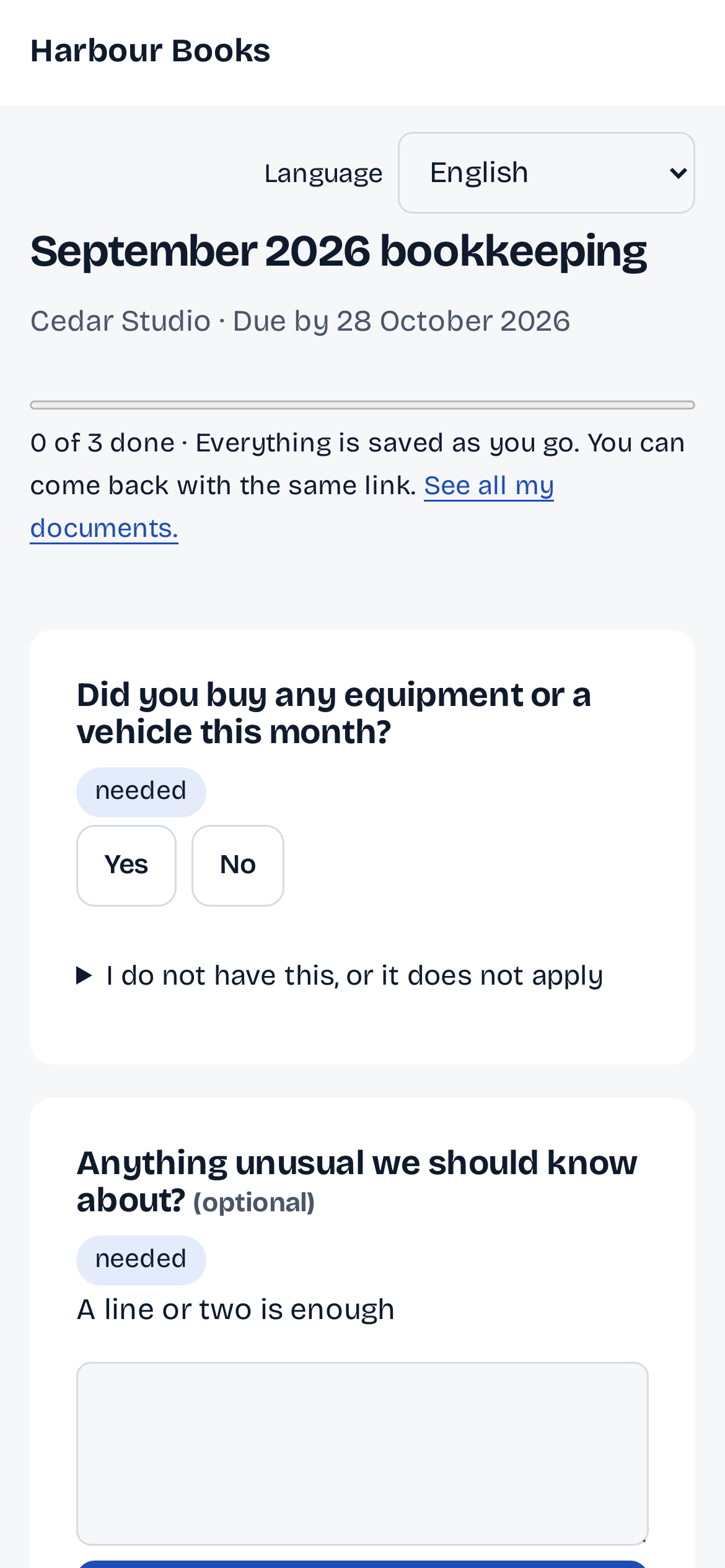
Step 2: One link goes to the client.
An email in your firm's name opens the list on any phone, with no login, saved as they go.
-
Step 3: Pingtail follows up.
The request shows what is in, what is still to come, and the date of the next reminder.

-
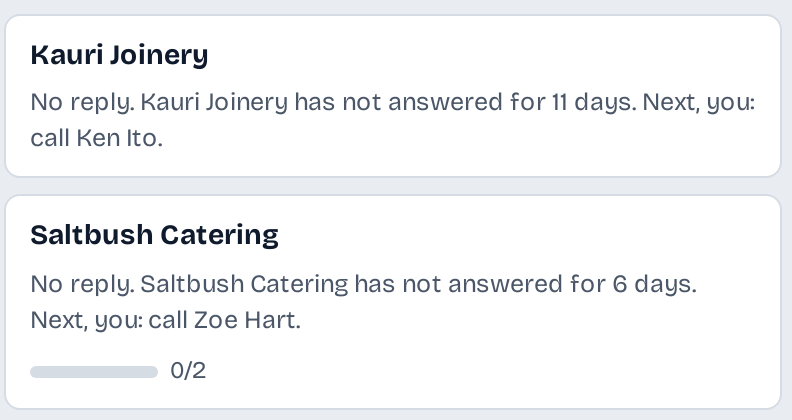
Step 4: See who has gone quiet.
The Clients board names the client who has not answered, for how long, and the next step for you.
What stays in your control
Your schedule, in your client's daytime.
You set when Pingtail follows up and when it never does.
Days you choose.
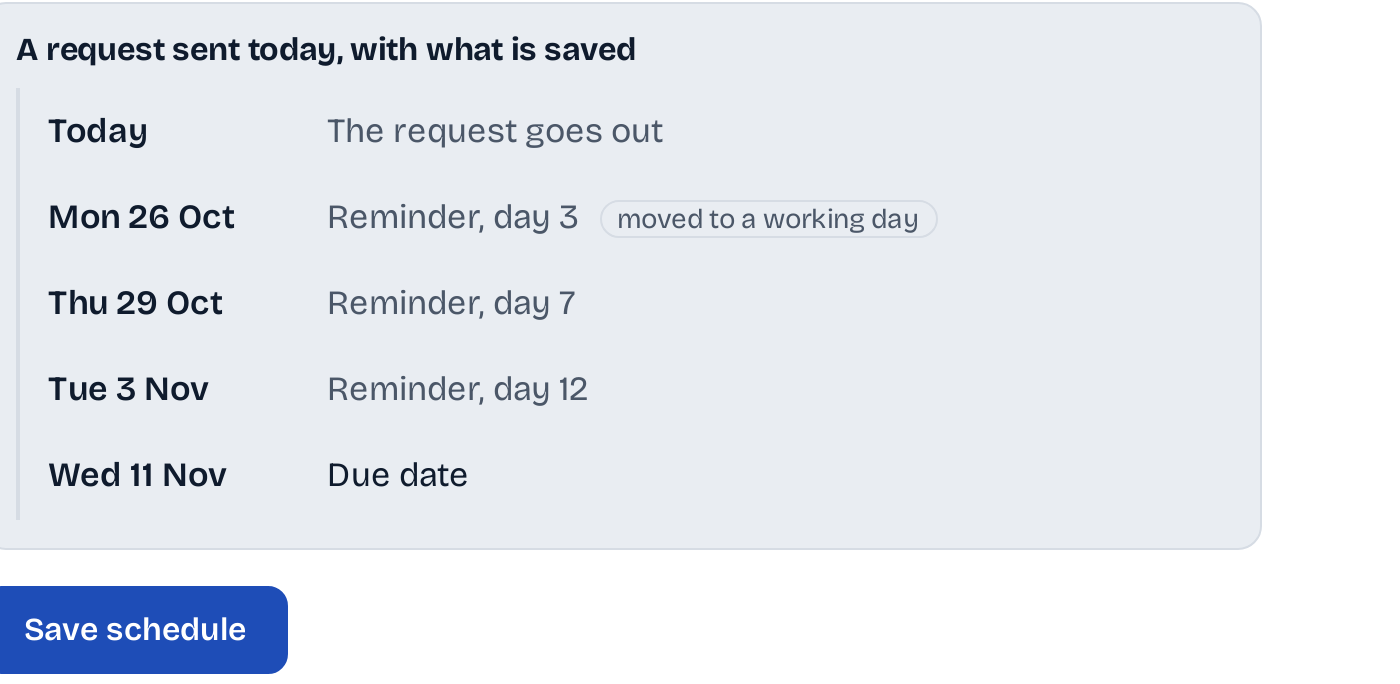
Count from the day you send, or back from the due date. Up to six reminders, and never two in one day.
On the screen
A client gets one follow-up a day at most, across all their open requests.
Their daytime, working days.
Reminders wait for the client's own hours, and a reminder due on a weekend moves to a working day.
On the screen
8:00 to 21:00 in the client's time, no weekends
Your firm's name.
The request and every reminder carry your firm's name, and each lists only what is still missing.
On the screen
September 2026 bookkeeping from the firm
Who it is for
For the firm that chases by hand today.
Firms with monthly clients.
One request a month per client, with the statements, payroll and receipts the books need.
Firms that lodge the BAS.
The BAS checklist, with the due date suggested from the ATO calendar.
Teams that share the chasing.
Everyone sees the same request, what came in and when the next reminder goes.
Not what it does
- Remind without end. A request has up to six reminders; after that the next step is yours.
- Message a client at night. Reminders wait for the client's daytime.
Before you start
Questions about requests.
Which checklists come built in?
For Australia: monthly bookkeeping, the BAS, an individual tax return, a company tax return and annual accounts, new client onboarding, new employee payroll paperwork and a state payroll tax return. Copy one to make it your own.
Can I change the reminder days?
Yes, in Settings, Reminders. A new schedule applies from your next request; a request keeps the schedule it went out with.
What does a reminder say?
It lists only what is still missing, with the same link, so your client never starts again.
Can I send one now?
Yes. Press Send a reminder on the request.
What does it cost?
Requests and reminders are included in the price of each client.
More of Pingtail
What happens next.
Ask one client for September this week.
Start with one real client, free for 14 days. No card.